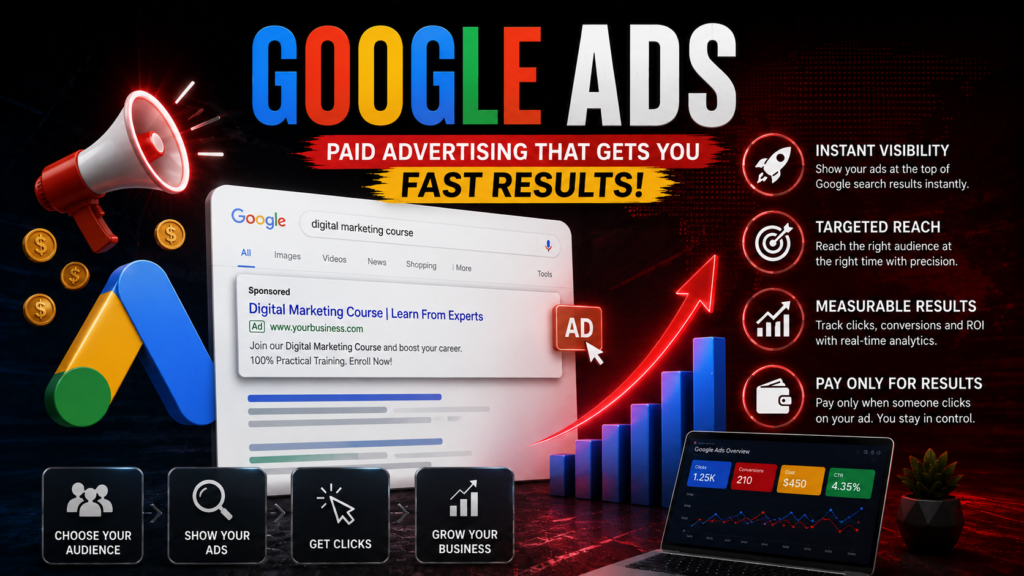
Paid advertising is one of the fastest ways to drive predictable, highly targeted traffic to your website. Every single day, billions of searches are made on Google by people looking for solutions to their problems, products to buy, or local services to hire. Google Ads allows you to place your business directly in front of those users at the precise moment they are expressing high intent.
Unlike traditional advertising channels—like billboards, magazine ads, or radio spots—where you pay a static fee to broadcast your message to a broad audience, Google Ads relies on a Pay-Per-Click (PPC) model. This means you only pay when a prospective customer actively clicks on your ad and visits your website.
What Is Google Ads and How Does PPC Work?
Google Ads is Google’s proprietary online advertising platform. At its core, the system runs on an auction-based model where businesses bid on specific keywords—the exact search terms and phrases that users type into the search bar.
When a user submits a query, Google scans its database to identify advertisers bidding on those terms. Within milliseconds, it runs a real-time auction, determines which ads are most relevant, ranks them, and renders them at the top or bottom of the Search Engine Results Page (SERP).
The beauty of the PPC model lies in its alignment of incentives:
The User gets fast, highly relevant answers to their search query.
Google maintains a high-quality user experience while earning revenue on ad clicks.
The Advertiser only pays for measurable traffic from people who actively showed interest in their offering.
How the Google Ads Auction Works
A common misconception among beginner marketers is that the highest bidder always gets the top spot on Google. While your bid amount matters, Google prioritizes user experience above all else. To balance bid size with user relevance, Google uses a metric called Ad Rank to determine ad positioning.
Your Ad Rank is calculated using a straightforward formula:
1. Maximum Bid (Max CPC)
This is the absolute maximum dollar amount you tell Google you are willing to spend for a single click on your ad. Depending on your bidding strategy, you may end up paying less than your maximum bid, but you will never pay more.
2. Quality Score
Quality Score is an internal metric scored from 1 to 10 that assesses the overall user experience your ad provides. Google calculates Quality Score using three primary factors:
Expected Click-Through Rate (CTR): Google’s estimate of how likely users are to click on your ad when it appears.
Ad Relevance: How closely your ad text matches the user’s search intent and keyword.
Landing Page Experience: How fast, mobile-friendly, transparent, and relevant your landing page is to the user who clicked your ad.
Because Ad Rank factors in Quality Score, an advertiser with a lower bid can easily beat a competitor bidding twice as much if their ad copy and landing page are significantly more relevant to the searcher.
Primary Google Ads Campaign Types
Google offers several campaign types designed to meet different business objectives. Understanding which campaign format to choose depends entirely on your business model, target audience, and primary campaign goals.
| Campaign Type | Primary Ad Placement | Target Audience Intent | Best Use Case |
| Search Campaigns | Google Search results pages, Google Maps | High Intent: Users actively looking for immediate answers or products | Lead generation, local services, direct sales |
| Display Campaigns | 3+ million partner websites, news sites, blogs, and apps | Low to Mid Intent: Users browsing content relevant to your niche | Brand awareness, visual remarketing, audience building |
| Shopping Campaigns | Shopping tab, Google Search, image search results | High Intent: Buyers visually comparing prices and products | E-commerce stores with physical inventory |
| Video Campaigns | YouTube shorts, in-stream videos, search results | Variable Intent: Viewers consuming video entertainment | Product demonstrations, visual storytelling, brand building |
| Performance Max | Multi-channel (Search, Display, YouTube, Gmail, Maps) | Full Funnel: Automated distribution using Google’s machine learning | Automated lead generation and cross-channel sales |
Understanding Keyword Match Types
Keywords are the backbone of any Search campaign. When adding keywords to your ad groups, you must tell Google how strictly or loosely it should match your keywords to user searches. Google divides keywords into three primary match types:
Broad Match (
keyword): Ads may show on searches that relate to your keyword, including synonyms, misspellings, related searches, and relevant variations. Example: Bidding onrunning shoesmight show your ad forbuy sneakers online.Phrase Match (
"keyword"): Ads show on searches that include the meaning of your keyword. The search can include words before or after, but the core meaning must be preserved. Example: Bidding on"running shoes"might show your ad forbest running shoes for men.Exact Match (
[keyword]): Ads only show on searches that have the exact same meaning or intent as your keyword. Example: Bidding on[running shoes]will only trigger ads forrunning shoesor tight close variants likerunning shoe.
The Role of Negative Keywords
Equally important to matching positive keywords is establishing a robust Negative Keyword list. Negative keywords explicitly tell Google which search terms to exclude from your campaign. For instance, if you sell premium paid software, adding negative keywords like free, cheap, crack, or jobs prevents your budget from wasting on users looking for freebies or employment.
Key Bidding Strategies for Beginners
Google Ads provides automated bidding strategies powered by machine learning, alongside manual options:
Maximize Clicks: An automated strategy that aims to get as many clicks as possible within your specified daily budget. This is ideal for beginners gathering initial data.
Maximize Conversions: Focuses fully on acquiring the highest volume of leads or sales, regardless of individual click cost.
Target CPA (Cost Per Acquisition): Sets bids automatically to reach an average cost per lead or sale that you define.
Manual CPC: Gives you full manual control over individual keyword bids, though it requires constant monitoring and adjustments.
Step-by-Step: Launching Your First Campaign
Structure Your Account Correctly: Organize your account logically. A healthy account hierarchy starts with Campaigns (organized by budget, location, or broad themes), which contain Ad Groups (organized by tightly focused keyword themes), which house your specific Ads.
Align Your Ad Copy with Search Intent: Write compelling ad headlines and descriptions that address the searcher’s pain point. Always include a strong, clear Call to Action (CTA) like “Get a Free Quote,” “Shop the Collection,” or “Book Your Consultation Today.”
Build Dedicated Landing Pages: Never send paid ad traffic directly to your website’s generic homepage. Send users to a standalone landing page that directly mirrors the message promised in your ad. If your ad promotes “20% Off Commercial Roof Repair,” the landing page must immediately feature that exact headline and offer.
Set Up Conversion Tracking: Before spending a single dollar, install conversion tracking (via Google Tag Manager or Google Analytics). Conversion tracking measures critical user actions—like form submissions, purchase confirmations, or phone calls—giving you the data needed to evaluate your return on ad spend (ROAS).